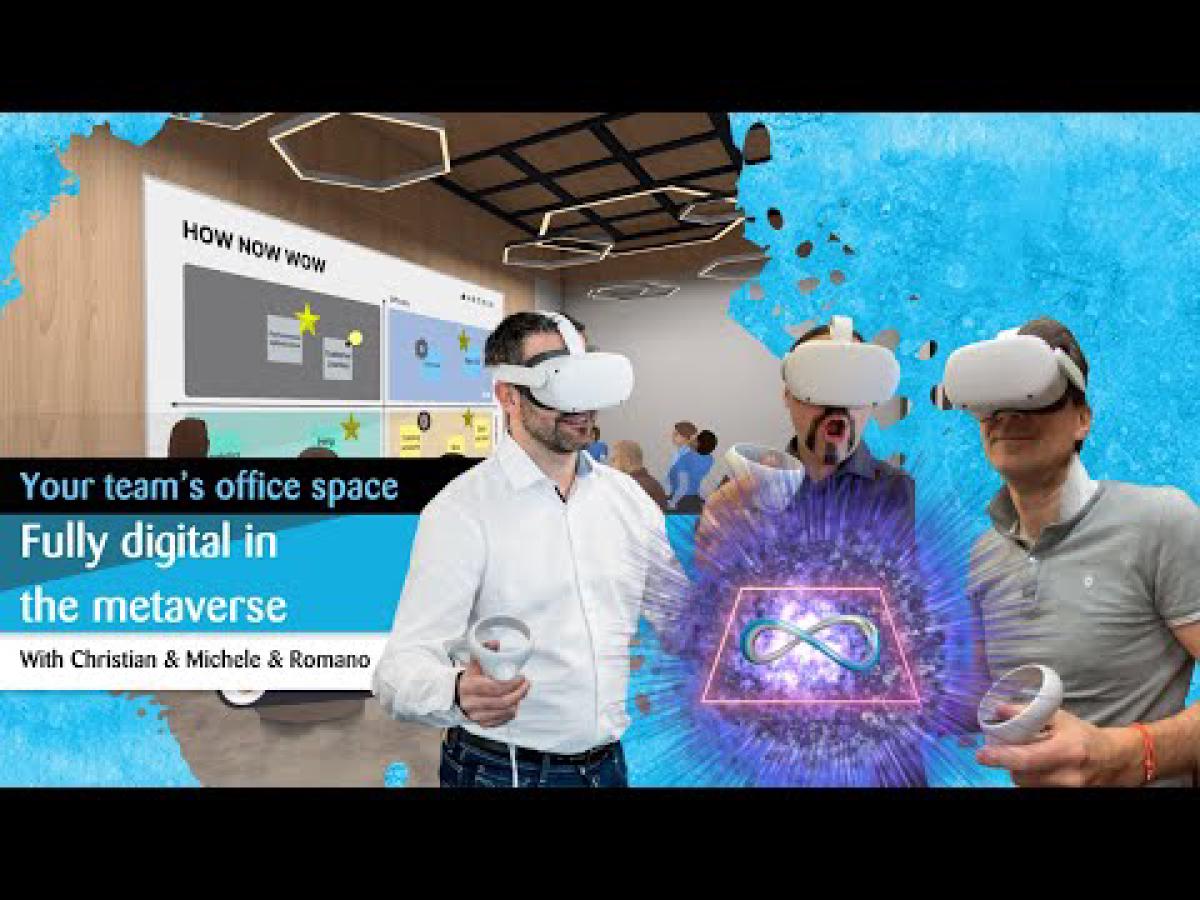
What does the future of the digital office look like? In this session, I explore the possibilities of virtual workspaces together with Christian from the VR platform Arthur. We move through various VR environments, from meeting rooms and workshop spaces to inspiring landscapes on the moon, and discuss what is already usable for businesses today and where the limitations are. The entire conversation took place in Virtual Reality, with VR headsets on our heads. Note: the original session was conducted in German.
What Can You Do in a Virtual Office?#
The use cases for virtual workspaces are broader than most people would expect. Christian showed us several applications that are already in productive use:
Workshops and Design Thinking: Creative sessions with post-its, whiteboards, and interactive elements work surprisingly well in VR. You can write notes, pin them to boards, move them around, and collaborate on them. The fact that you feel like you are in a completely different space stimulates creative thinking.
Meetings and distributed teams: For teams distributed across Europe, VR offers an alternative to video conferencing where you actually “see” each other and have a spatial sense of presence. The feeling of being there goes far beyond what a Teams meeting can provide.
Scrum and PI-Planning: We visited a specially designed room for Scrum ceremonies, with areas for Vision Boards, Sprint Planning, Daily Scrum, and Retrospectives. Different groups can work on different levels without disturbing each other.
Conferences: Smaller events with 20 to 40 people work well. For larger conferences, the data load from avatars becomes challenging, but solutions exist that combine web conferences with VR sessions.
The Hardware Question#
A major discussion topic was the hardware. The Meta Quest is widely used, but the binding to Facebook accounts is problematic for enterprises. Christian now prefers the Pico headsets because they are not tied to a single account and are better suited for enterprise use.
The field of view of current headsets remains a limitation. When standing in a group of several people, you get little awareness of what is happening to your left and right. Newer headsets with wider fields of view will bring improvements here.
“What fascinates me most is how real the memories feel. The brain can truly be tricked. During ‘Walk the Plank,’ some people will not even step onto the plank, even though they know they are safely standing in a building.”
An exciting development: lip synchronization already works, and within a few months, facial expressions and eye movements will also be transmitted. This will significantly improve the quality of communication in VR.
From Inspiration to Productivity#
The inspiring environments were particularly impressive. We visited a terrace with background sounds (gentle wind), which immediately created a stronger spatial feeling. For innovation workshops, Christian’s team even uses a room on the moon to signal to participants: “There are no limits here, everything is allowed.”
The question of whether such creative worlds distract from work was clearly answered: at the beginning yes, but after a short onboarding, you forget the environment and focus on the work. Creative spaces are particularly well suited for individual consultations or smaller groups.
The real workshop results confirmed this. During sprints with teams, the pin boards were full of results. Collaboration worked, though sessions should be limited to 90 minutes, as you become genuinely exhausted after that. Two hours in VR is the absolute maximum.
Challenges and Enterprise Readiness#
Despite the impressive capabilities, the platforms are not yet fully enterprise-ready. During an evaluation of various VR platforms for a client, the result was sobering: apart from Arthur, most platforms still had significant gaps for enterprise use.
Meta lost trust with the Developer Mode problem (Firmware version 47 disabled Developer Mode for weeks). For enterprises, this is unacceptable, especially when a stakeholder presentation is coming up and suddenly your own software can no longer be loaded.
The future will be exciting: Microsoft Mesh could integrate VR collaboration directly into the Office ecosystem. And the question of whether rendering will happen in the cloud rather than on the headset will be answered differently depending on the use case. For high-precision safety training, you need cloud rendering. For leadership training, what today’s headsets can do is already sufficient.
New Business Areas: Retail and Art#
Beyond office work, Christian showed use cases in the retail space. For automotive manufacturers, virtual showrooms can revolutionize the customer journey: testing strategies, training employees, and even conducting sales conversations virtually.
Particularly exciting is the area of art and galleries: you can buy an artwork both as a real object on canvas and as a digital asset (or both) and display it in your virtual living room as well as at home. Gaming is another growth area. For example, a multiplayer game is being built for Postfinance to introduce younger target audiences to financial topics in a playful way.
Key Takeaways#
- Virtual offices already work for workshops, meetings, Scrum ceremonies, and smaller conferences. The technology is not perfect, but it is usable for productive work.
- Hardware choice matters: Meta Quest has a consumer focus, while Pico is often better suited for enterprises. The limited field of view remains a constraint.
- 90 minutes per VR session is the recommended maximum. After that, concentration and comfort drop significantly.
- Enterprise readiness varies greatly across platforms. Arthur is currently one of the most mature solutions for business use.
- Memories in VR feel real: The brain barely distinguishes between virtual and real experiences, which makes VR so powerful as a medium for collaboration and training.
- The future brings better facial expressions, wider fields of view, and cloud rendering, which will further improve VR collaboration quality.