GitHub does not ship a default SCA tool the way GitLab does. You have to combine two things: a platform feature called Dependabot and an SCA action from the Marketplace. In Part 3 of the GitHub DevSecOps series, Patrick Steger and I wire both into our pipeline — and find out the hard way that the Marketplace path is not as smooth as the slides suggest.
Before we plug security tools into anything, we need a repository, a pipeline, and a working build. In Part 2 of our GitHub DevSecOps series, Patrick Steger and I create a private GitHub repo for a small Java Spring Boot service, enable GitHub Actions, and wire up a two-workflow pipeline that compiles the code and runs the unit tests. This is the skeleton everything else in the series hangs on.
After we finished the GitLab DevSecOps series, Patrick changed jobs — and his new team is on GitHub. The problem is the same: no security checks during development. The platform is different. In Part 1 of our GitHub DevSecOps series, we cover what GitHub is, the CI/CD vocabulary you have to share before any pipeline conversation works, and the shape of the DevSecOps pipeline we will build over the next sessions.
DevOps trends 2023
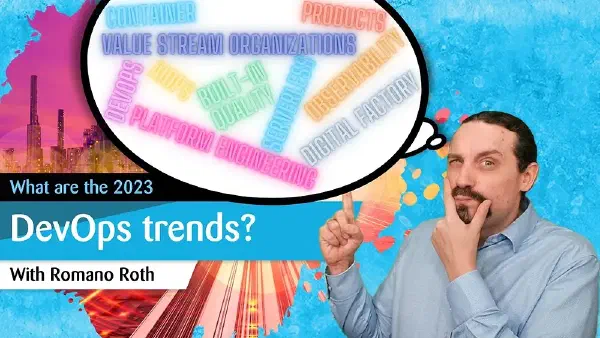
We quickly review my projections for 2021 and 2022 before moving on to the difficulties businesses are already facing. Due to silo organizations, there is almost no coordination between the various organizational divisions, and businesses continue to plan annual projects rather than products. Hence, businesses must adopt some DevOps methods or trends. DevOps is a mindset, culture with technical practices that align all people across the value stream to continuously deliver value to the customer. The top DevOps trends for 2023 include building products, running the product, ensuring product quality, monitoring the product, organizing across the value stream, enabling DevOps in product teams, and industrializing the whole product development.
Two years of trend predictions later, the DevOps conversation has shifted. In 2021 we talked about adoption. In 2022 we mapped trends onto the adoption lifecycle. In 2023 the most useful lens is the value stream: how products get built, run, quality-assured, monitored, organised, enabled and industrialised end-to-end. Most organisations still suffer from silos and project-based annual planning. The 2023 trends are about closing those gaps.
by Romano Roth and Patrick Steger
This video series will show you how to build up an enterprise-ready DevSecOps Pipeline with GitLab and GitHub and compare the two platforms.
After eleven sessions building a full DevSecOps pipeline with GitLab — from Software Composition Analysis to Container Scanning, SAST, Secret Detection, DAST, merge request integration, and scheduled pipelines — Patrick Steger and I close the series with our recommendations. What worked, what tripped us up, and what we would tell anyone setting out to build the same pipeline today.
Over ten sessions we wired six security tools into a GitLab pipeline that fires on every commit and every Merge Request. So are we done? Not quite. Code in production sits there for weeks or months, and during that time researchers keep finding new CVEs in the dependencies you are already shipping. In Part 11 of the GitLab DevSecOps series, Patrick Steger and I add a scheduled pipeline so the production branch gets re-scanned automatically — without anyone having to push a commit.
In the previous nine sessions Patrick Steger and I built a GitLab DevSecOps pipeline that runs SAST, secret detection, software composition analysis, container scanning and DAST. Useful — but only if it actually catches issues before they reach the default branch. In Part 10 we close that loop: we wire the pipeline into Merge Requests so every change is scanned, the deltas against the default branch are visible, and approvals are required when new high or critical vulnerabilities appear.
After eight sessions of adding scanners to our GitLab pipeline — SAST, secret detection, SCA, license compliance, container scanning, DAST — we now have a different problem. We have hundreds of vulnerability findings. In Part 9, Patrick Steger and I look at GitLab’s built-in Vulnerability Management: what it gives you, where it falls short, and how to actually triage findings without losing your mind.
Everything we have done in the GitLab DevSecOps pipeline so far has been static — analysis of source code, dependencies, containers and configuration. In Part 8, Patrick Steger and I cross the line into Continuous Delivery and add Dynamic Application Security Testing. DAST means we deploy the application, start it, and then attack it from the outside with an automated penetration testing tool. GitLab ships this capability out of the box, powered by OWASP ZAP.
Hard-coded passwords and API keys are still one of the most common ways credentials leak. They get committed by accident, stay in the git history forever, and only show up when someone is already exploiting them. In Part 7 of our GitLab DevSecOps series, Patrick Steger and I add Secret Detection to the same pipeline we have been growing — one line of YAML — and then look at what GitLeaks actually finds, what it quietly misses, and what to do about it.